
Platform / Microsoft Edge for Business
See browser risk across your whole fleet
Devicie brings Microsoft Edge for Business security events from Windows, macOS, iOS and Android into the same console you use to manage your Intune fleet. Laptops and phones are included, and there is no extra agent on the device.
The browser is an endpoint
Browser risk, next to the device
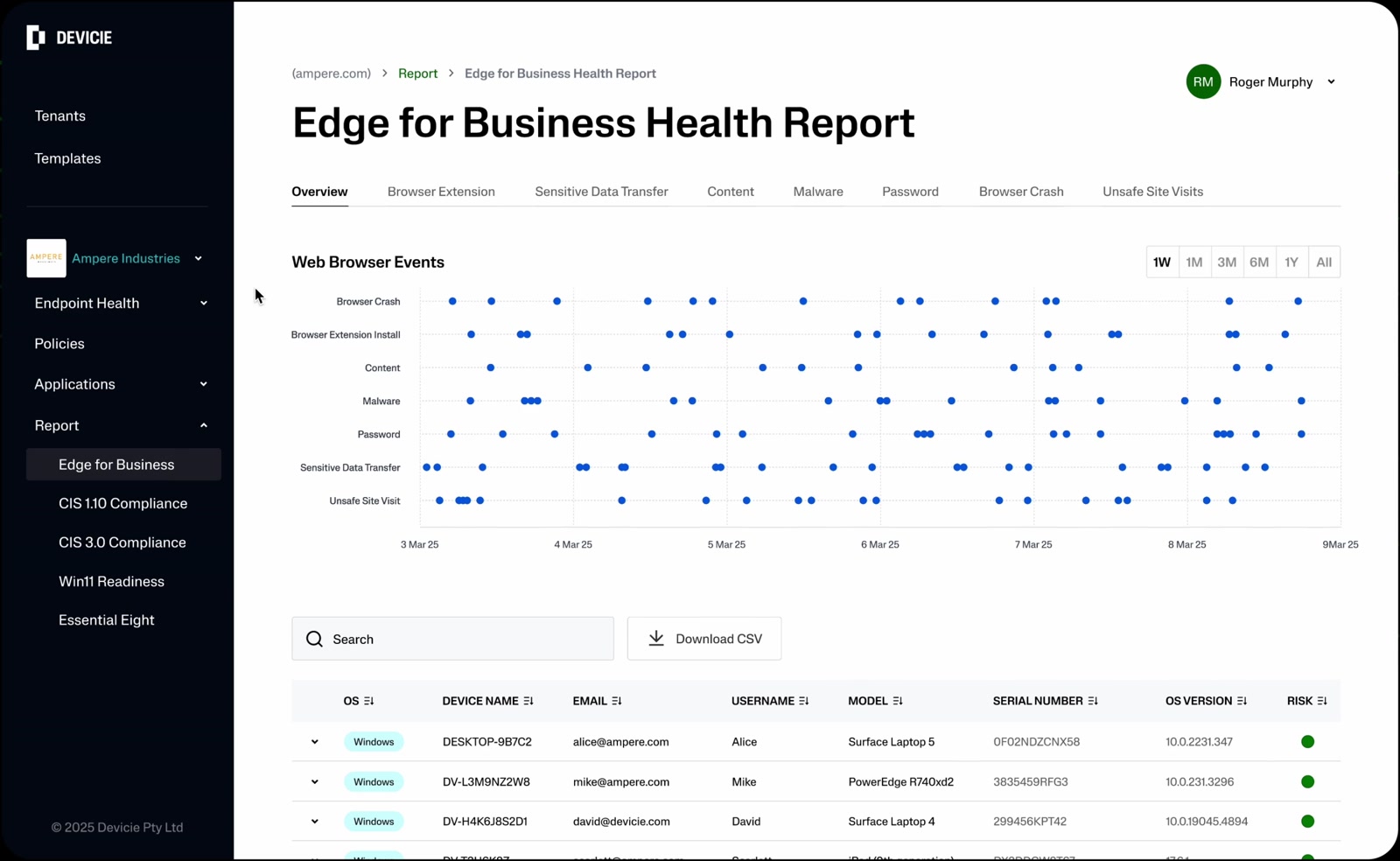
Much of today’s work, and much of its risk, happens in the browser. Edge for Business security connectors make that activity visible, and Devicie puts it next to the device.
Devicie deploys Edge policy and keeps it in place. The security events Edge for Business reports show whether that policy is working.
Most IT teams can tell you whether a device is compliant. Far fewer can tell you what is happening in the browser on that device, especially across a mixed fleet.
What Devicie reports
Five kinds of browser activity, built on Edge for Business security events
Browser extensions
Which extensions users install, update or remove, by profile and user, including AI assistants.
Password security
Work passwords reused on unapproved sites, changed after a reuse warning, or found in known breaches.
Unsafe browsing
Microsoft Defender SmartScreen phishing and malware warnings, shown or bypassed, plus sites blocked by web content filtering.
Risky downloads
Files SmartScreen flagged as dangerous, whether blocked or opened anyway.
Authentication activity
Successful sign-ins to the sites an administrator chooses to watch.
Every platform
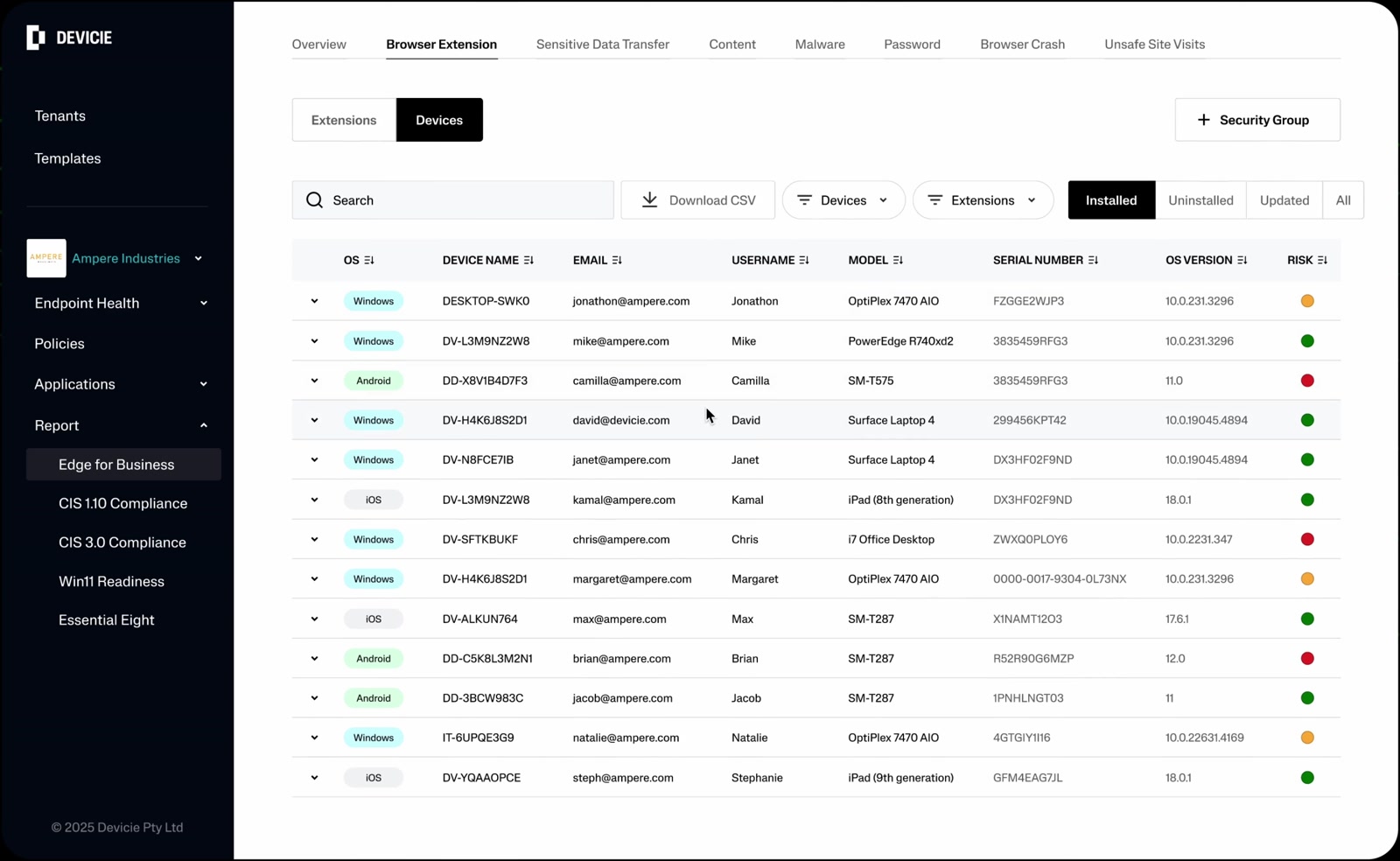
Windows, macOS, iOS and Android, in one console
Until now, the view was limited to a single platform. Devicie now brings in security events from Edge for Business on Windows, macOS, iOS and Android.
Browser events sit in the same place you already manage device health and compliance, with no extra agent on the device.
Act on it
See it, then act on it in the same console
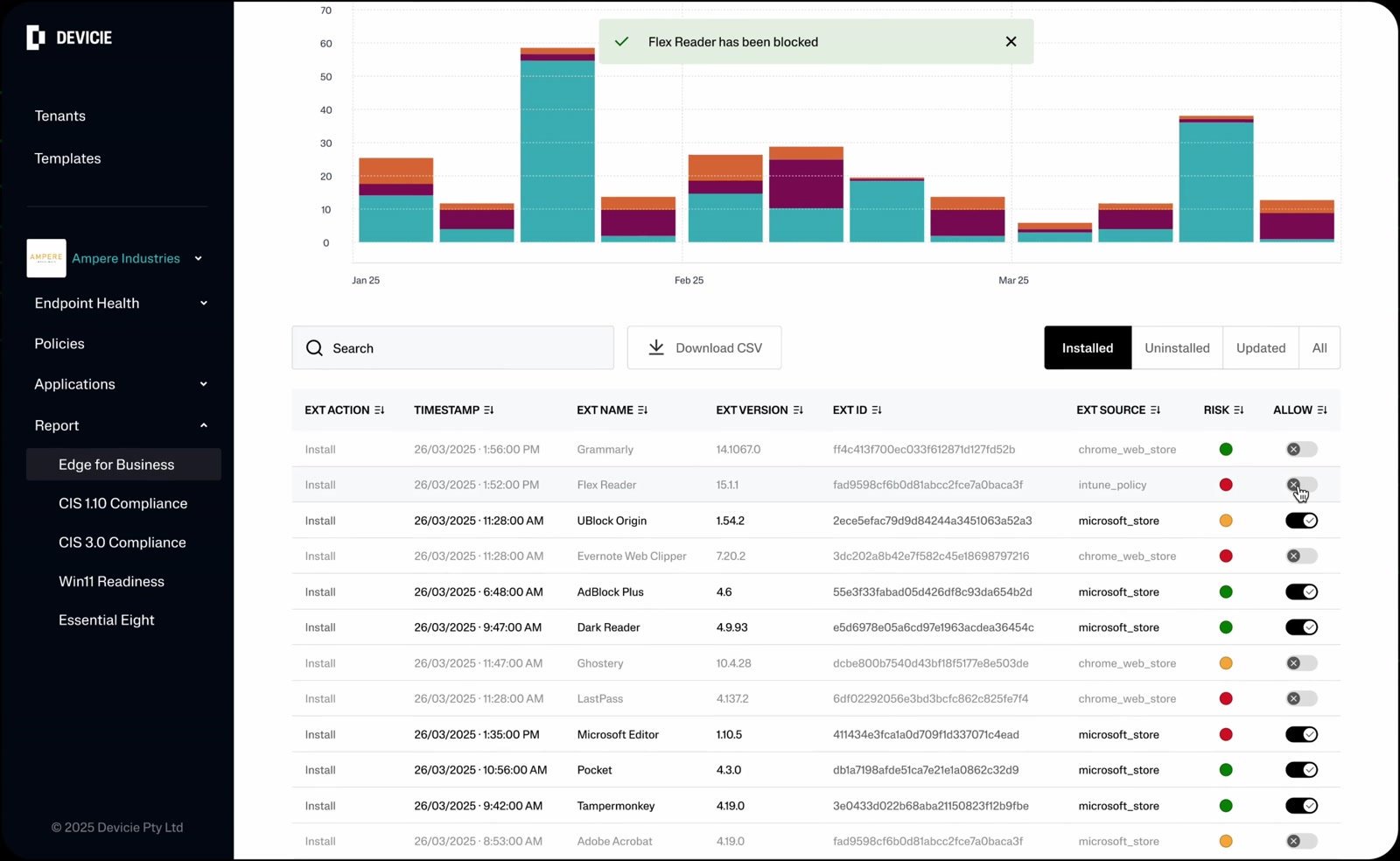
Because Devicie also deploys Edge policy for extensions and security controls, teams can act on what they see without leaving Devicie.
For example, block an unsanctioned extension, then confirm its removal in the events Edge for Business reports.
Built for MSPs
Every customer’s browser events in one portal
In-house IT teams, security teams and managed service providers use Devicie to run their Intune environments.
Each tenant connects to Devicie with its own reporting key, so MSPs see every customer’s browser events in one multi-tenant portal while each customer’s data stays separate.
- Customer A
- Own reporting key
- Customer B
- Own reporting key
- Customer C
- Own reporting key
- Customer data
- Kept separate
- Where
- Edge management service
- From Devicie
- Endpoint and reporting key
- You choose
- Which events to send
- Cost from Microsoft
- No additional cost
How it works
Set up in a few steps
1. Copy the endpoint and reporting key from Devicie.
2. Enter them in the Edge management service in the Microsoft 365 admin center.
3. Choose which events to send.
A supported version of Edge is required on each platform. Current requirements are listed on Microsoft Learn.
Working with Microsoft
One of the first Edge for Business security connectors
Devicie’s connector was one of the first in Microsoft’s Edge for Business security connector framework, available in preview when the framework launched in April 2025. Microsoft named the Devicie connector generally available at RSAC 2026, and Devicie released its full Edge for Business report to all customers in May 2026.
Questions we get asked
Do I need to install anything on devices?
No. Edge for Business sends security events through its security connector framework, so there is no extra agent on the device.
Which platforms are supported?
Microsoft Edge for Business on Windows, macOS, iOS and Android. A supported version of Edge is required on each platform; current requirements are listed on Microsoft Learn.
How is it set up?
In a few steps: copy the endpoint and reporting key from Devicie, enter them in the Edge management service in the Microsoft 365 admin center, and choose which events to send.
What does it cost?
The connector requires a Devicie subscription. Microsoft provides Edge for Business connectors at no additional cost.
Does it work for MSPs?
Yes. Each tenant connects to Devicie with its own reporting key, so MSPs see every customer’s browser events in one multi-tenant portal while each customer’s data stays separate.
See browser risk next to the device
Walk through Edge for Business reporting on Windows, macOS, iOS and Android on a Devicie tenant.
At Microsoft Ignite? See it at the Microsoft Edge booth, WD-7, on Nov. 19 from 2:30 to 3:00 PM PT.